
Join Your Org - Invite Links
Overview
Thousands of people were signing up for Wistia without knowing their company already had an account. Some hit a dead end ("email has already been taken"), the rest made their own free account and worked alone. Over three releases I designed the pieces that let them find and join their team instead, which turned into a self-serve expansion revenue stream that didn't exist before.
Impacts:
~12% of add-on user revenue in 13 weeks, starting from zero
2x users joining existing accounts after invite links launch
Unverified account owners down from 67% to 30%
84% of self-joiners active in their first week, vs. 58% of email-invited users
What I did: Designed every surface across the three releases: the email verification rollout, the join screen and account setting, the permissions and empty states, the emails, and the invite link experience.
Team & time: sole designer with a PM and engineers, working with Security, CX, Marketing and the Manage team · Oct 2025 – Sept 2026
User problem
If your coworker had already set up Wistia, there was no way to find that account. Signing up with an email the system already knew about just threw an error. And on the owner's side, adding teammates meant typing invites one email at a time.
Business problem
Around 315K accounts shared an email domain with another account, and a quarter of those were paid. Some teams were creating extra free accounts on purpose to get around seat limits. Every one of those was a teammate who should have been a paid seat, right as Wistia launched add-on user pricing. The catch: 65% of account owners had never verified their email, so we couldn't safely match anyone by domain.
Key stage 1: Fixing the foundation
Joining by domain only works if the domain is verified, so before anything else we had to ask two million existing contacts to verify. I wanted it to feel like a heads-up, not a lockout. The rollout I designed went in three beats:
An email to everyone active in the last 90 days
A persistent banner in the app
A verification screen you could skip for 30 days. After that it was required at login.
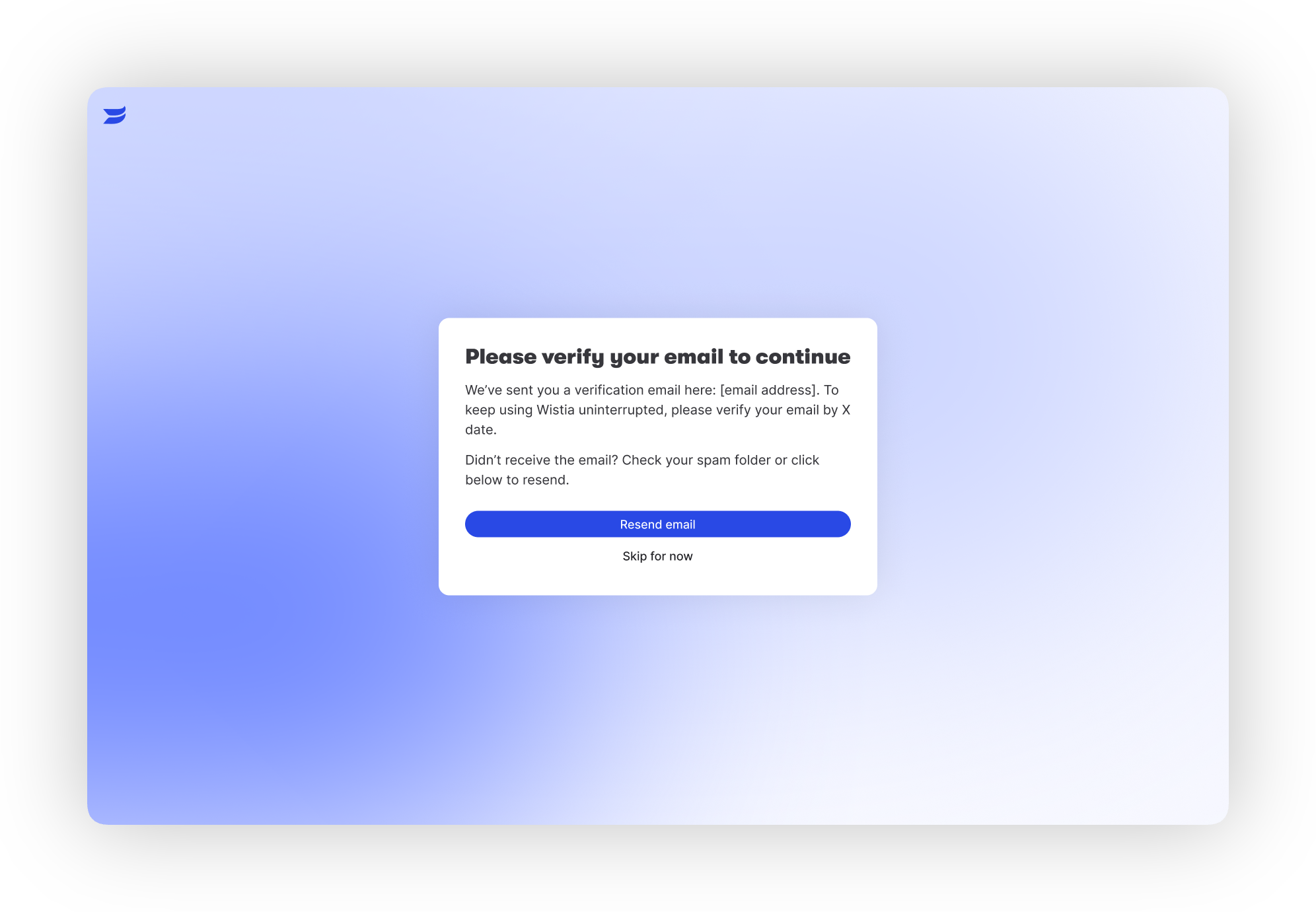
One thing I pushed for: keeping verification separate from the welcome screens. If it's skippable, it should be a banner. If it's required, it should come right after sign-in, before someone gets into a flow and loses momentum.
Key stage 2: Designing the join moment
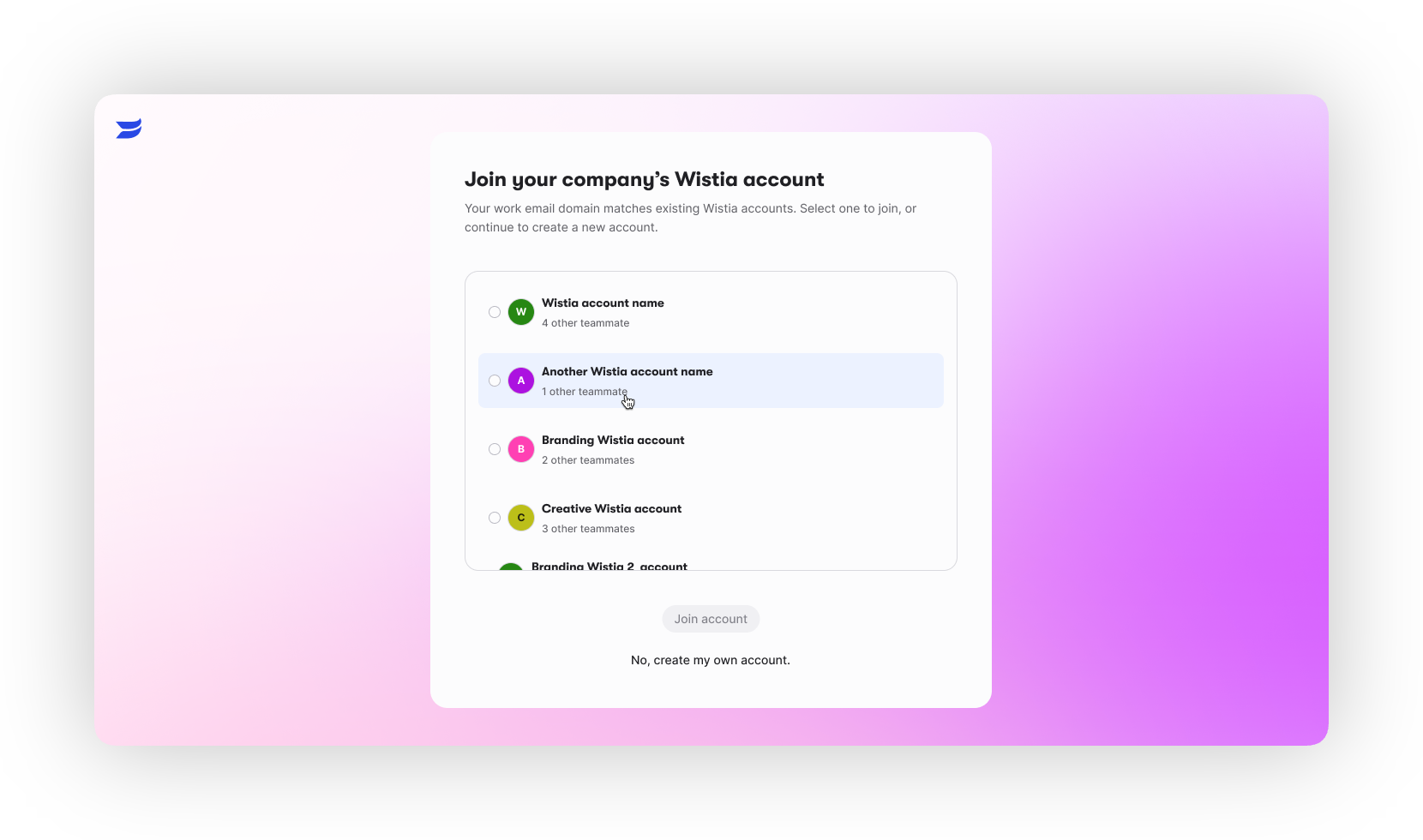
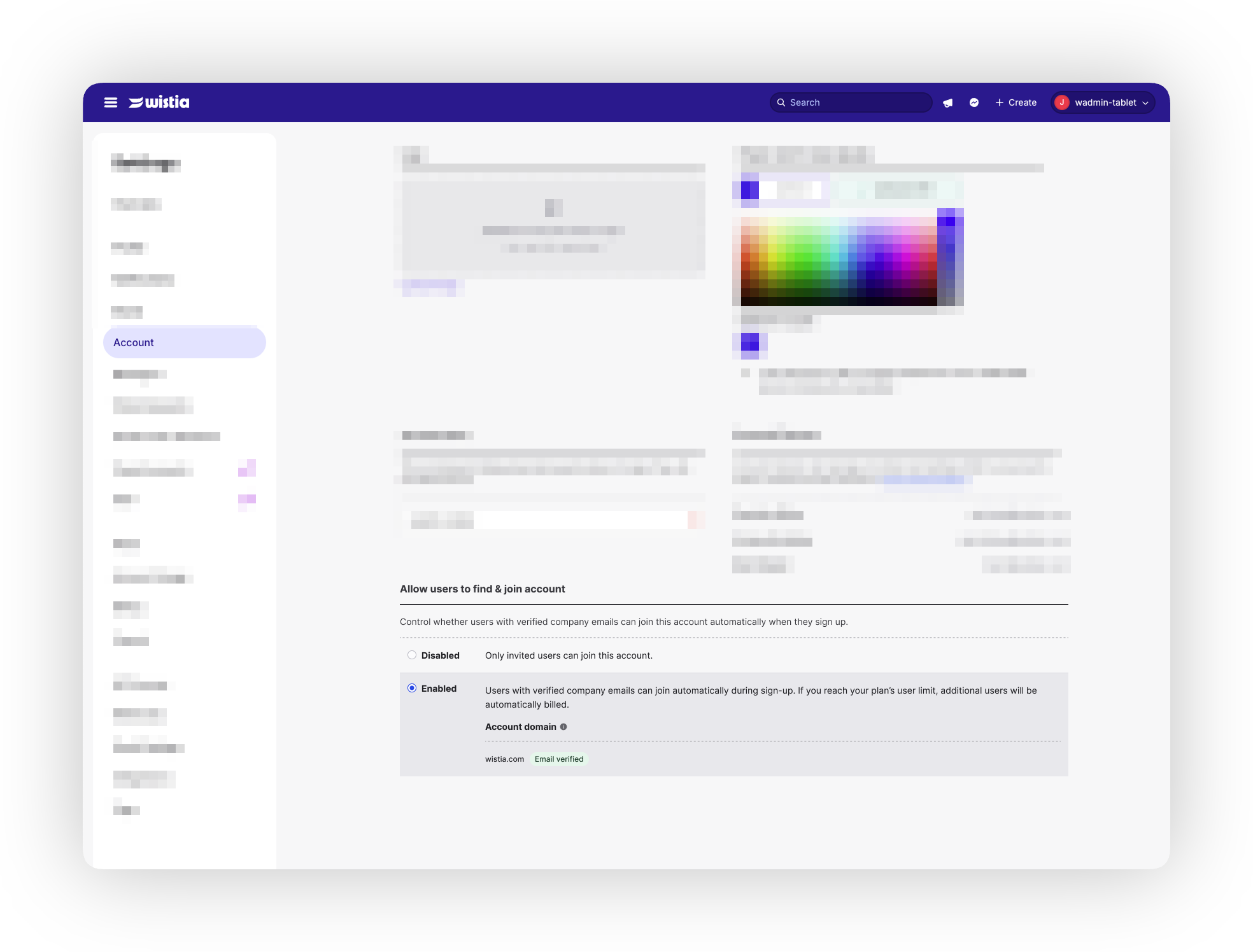
The screen itself is simple: here's the account that matches your domain, join it or create your own. The hard part was the rules behind it. The decisions we landed on, and the reasons being:
No approval step. A lot of products make you wait for an admin. We'd seen that a user in limbo mostly just leaves. Owners control billing instead, through the add-on seat.
Standard role by default. Support wanted the most locked-down role. We went with Standard so new joiners could create and explore without seeing private content.
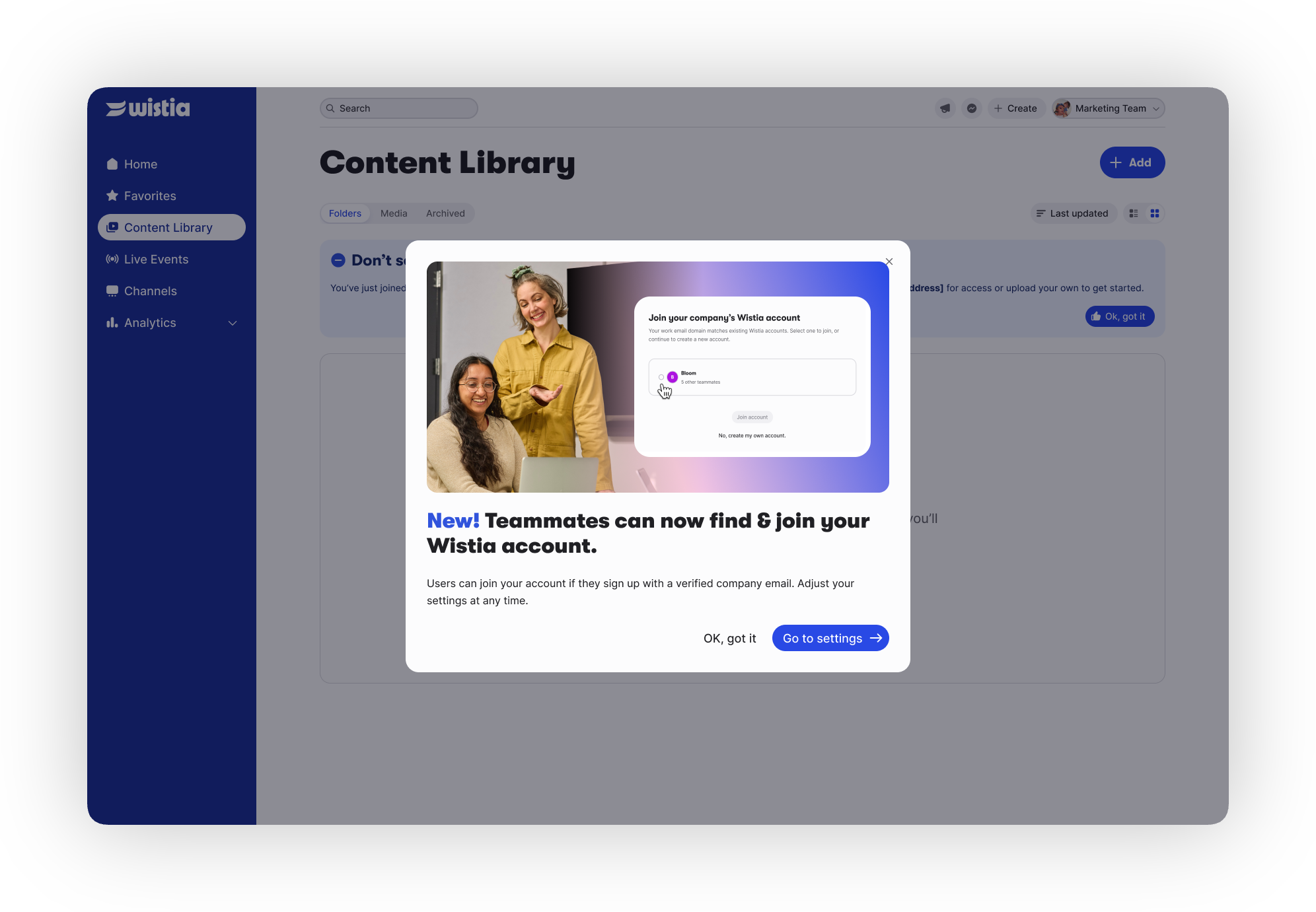
On by default, owner-controlled. It lives in Settings as an account-level toggle with up to three domains. On by default because almost nobody changes settings, with one exception: off for Premium accounts.
A small reassurance banner. It tells standard users which account they just joined and what they can access. When it got questioned in review, I kept it. It's the one moment people need to know they're in the right place.
Key stage 3: Closing the gap
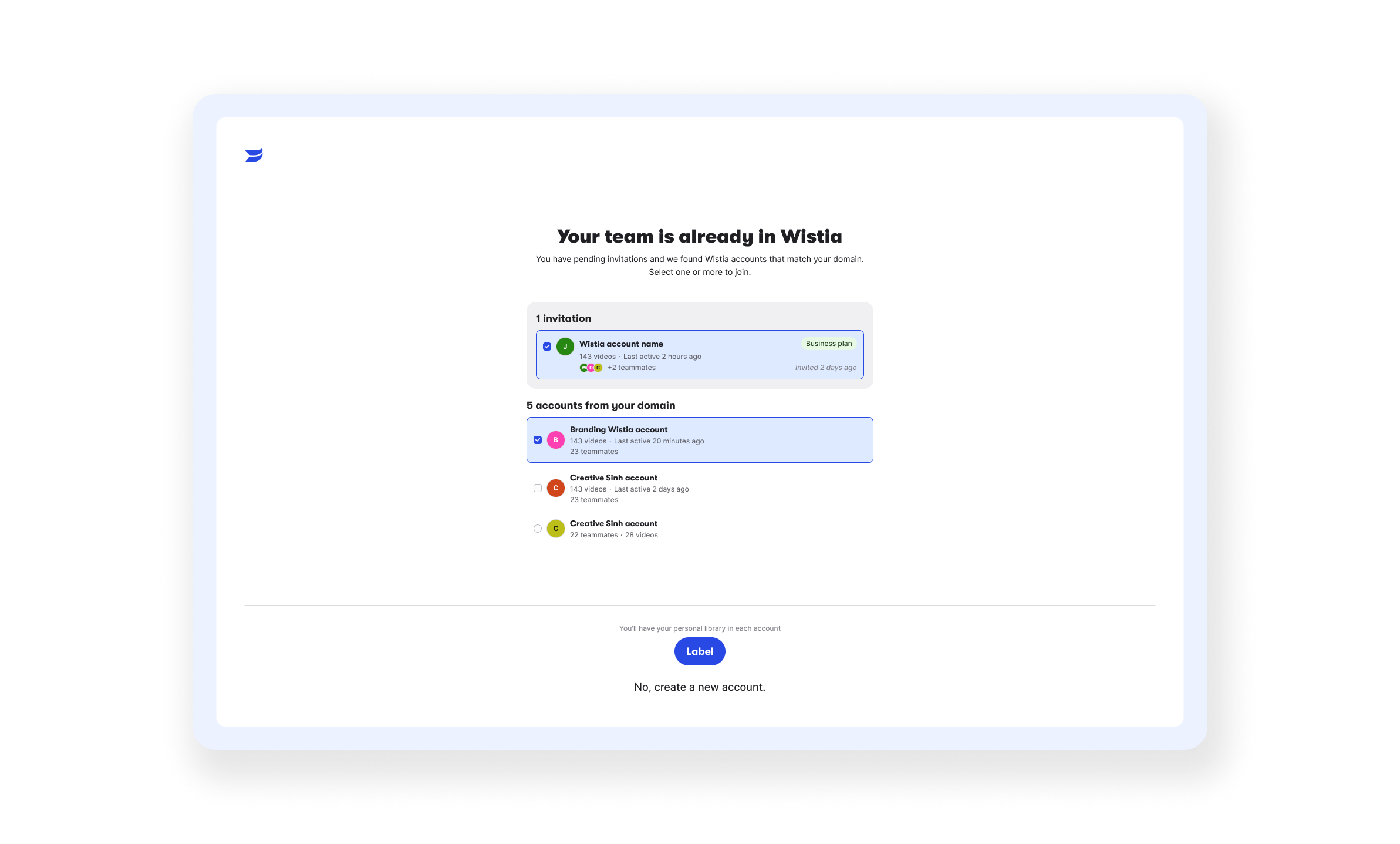
At launch, people who had already been invited by email were scoped out at the last minute, so they still hit a wall. I redesigned the join screen with avatars and a team list and folded that path in. We have also enabled the ability to join multiple accounts instead of just one. It now unblocks about 7 to 10 people a week, and so far every one of them has accepted.
Key stage 4: Invite links, and keeping them alive
The second half of the problem was the owner's side. I designed a single shareable account link on the Manage Team page: owners and managers only, business domains only, a one-click upgrade prompt for free accounts, and a new welcome email.
Then in August another team redesigned the Manage Team modal and the link got buried. Usage dropped about 50% almost overnight. I reworked the modal into two tabs, link first, email second, with a smaller header. Two days after it shipped, usage was already above the previous week.
Outcome - What worked
Email verification: 23K+ verified in the first weeks, unverified owners from 67% to 30%, and support volume stayed low.

Join Your Org: ~12% of add-on user revenue in its first 13 weeks, from zero. People who join on their own are more active in week one (84% vs. 58%).

Invite links: users joining accounts doubled. Link joiners were more active and more likely to upgrade, so links became the primary way to invite.
What to keep in mind
Volume is still small, a few hundred users per cohort, and the revenue is attributed to joins rather than measured against a holdout.
In August, a shared personal domain in Europe got classified as a business domain, and strangers were able to join an account. We caught it and fixed it, but it changed how I think about "just a domain" rules. Guardrails get designed next to the happy path now, not after.
Learnings & next steps
Expansion is an onboarding problem. The cheapest new seat is someone who already wants in. The job is removing the dead ends.
Watch the surfaces you don't own. Someone else's redesign can quietly undo your work. I'd put usage alerts on key entry points next time.
Next: test invite prompts where people naturally share, right after the first upload and inside the trial welcome flow. The first version of that shipped in September.